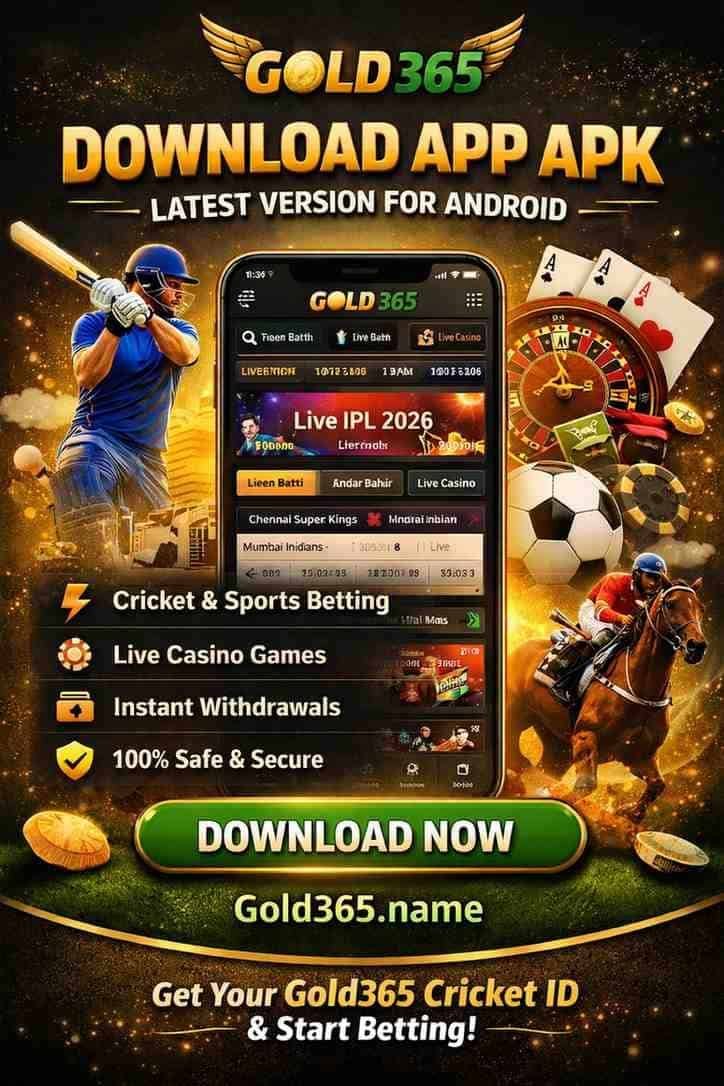
Gold365 App – Mobile Access for Android & iOS Users
Gold365 mobile access provides a convenient way to explore available sports, gaming, account and mobile platform features from compatible devices.
With the official Gold365 app, Indian bettors can access the platform directly on their mobile devices. Users can enjoy sports betting, casino games, live dealer tables, and account management from a single application. Completing the Gold365 app download provides access to these features without needing to open a mobile browser.
The Gold365 mobile application provides access to gaming and account management on smartphones.
What Is the Gold365 App?
The Gold365 app is the official program created for Android and iOS users in India. It brings platform features into a mobile-first interface. There is one app and one account to play available games and access available markets, meaning users do not require a different login for each section.
Through the mobile application, players receive the same services offered on the Gold365 website. Some of the main features included in the app are:
- Casino games like slots, poker, and roulette
- Live dealer casino games
- Crash and instant games
- Sports betting on live and online markets
- Account management and payment services
App Design and Specifications
Unlike the desktop version, the mobile application is optimised for touchscreen devices. Menus, bet slips, game lobbies, and account settings are easier to navigate on a touchscreen. The app removes the need to reload pages in a browser, which is useful for those who visit Gold365 regularly.
Gold365 provides different access methods for devices running Android and iOS. The Android application is intended for users seeking an APK file. The PWA (Progressive Web App) is intended for iPhone and iPad owners, though it can be installed on devices running a modern OS. INR usage and access to the account are available in both versions.
The table below shows the general specifications for the Android and iOS versions:
| Feature | Android | iOS |
|---|---|---|
| Availability | APK | PWA |
| File Size | Minimal | Minimal |
| Minimum OS | Android 5.0+ | iOS 12.0+ |
| Languages | English, Hindi | English, Hindi |
| INR Support | Yes | Yes |
| Free to Download | Yes | Yes |
Key Advantages: App vs Mobile Browser
The application is designed for customers seeking quicker access via their phones. It launches from the home screen and can provide convenient access compared with repeatedly opening a browser.
The app can be useful for frequent users who require speed, notifications, and easier logins. It can also be useful during live cricket betting matches. If a player wants to skip downloading, using the mobile browser is an option.
| Feature | App | Mobile Browser |
|---|---|---|
| Access | Opens from the home screen | Opens through a web browser |
| Installation | Required on supported devices | Not required |
| Speed | Better for frequent use | Good for occasional use |
| Notifications | Supports push alerts | Availability depends on browser |
| Login | May support biometric login on compatible devices | Usually requires manual login |
| Storage Use | Uses device storage | No dedicated app storage needed |
| Updates | May need app updates | Updates appear on the website |
What Players Can Do in the App
The app integrates available platform services. Gamblers may have access to sports betting, casinos, live tables, crash games, and payment functions. One account and one virtual wallet can be used across available sections, subject to platform availability.
Sports Betting
Available betting markets can be found in the sportsbook section. Indian users may be able to place bets on cricket matches, IPL fixtures, kabaddi tournaments, and football games. The mobile sportsbook interface allows users to view available odds and manage betting selections conveniently on mobile.
The application can be particularly useful during major cricket events. When IPL live markets are available, odds can move quickly. Users can view available markets and manage selections through the mobile interface.
Casino and Crash Games
The app can provide access to casino games using the same account. Users may be able to launch slots, table games, and quick-play options. Available games can load within the application without requiring separate downloads. Some games may offer demo modes, depending on availability.
Players may also access popular crash games such as the Aviator game.
Live Casino
The live casino section can provide access to live dealer games with video streaming and betting controls. Live casino games perform better with a stable internet connection such as Wi-Fi. Players should avoid switching networks during a live round.
Available games may include Teen Patti, Andar Bahar, roulette, blackjack, baccarat, and other live casino options.
Built for Indian Players
The Gold365 India app is designed for local mobile users. INR may be available throughout balances, deposits, and withdrawals, depending on the current payment system and regional availability.
Users can review the available Gold365 payment methods to see the currently supported local options.
Cricket continues to play an important role in the application, with available markets during major events. Mobile notifications can help users keep up with important games.
Indian players can also review available offers from the bonuses and promotions page, subject to applicable terms and availability.
How to Download the Gold365 App on Android APK
Players who want to download an available version of the app should use the official Gold365 website or another officially provided source. Users should avoid unofficial mirrors, copied files, and download pages on external sites.
The Gold365 app download for Android may be available at no separate app purchase cost, but any real-money activity can involve financial risk and should only be undertaken where legally permitted.
The general installation steps are:
Launch the Official Site
Open the Gold365 website on an Android phone and locate the current app or download option.
Choose the Download Option
Tap the relevant download option provided by the official platform.
Install the APK Package
Wait for the APK file to download and open the file using your Android device's installation process.
Review Security Settings
If Android displays a security warning, carefully verify the source before allowing installation.
Install the Application
Follow the instructions displayed by the Android device to complete the installation.
Open the Application
Once installed, access the Gold365 application from your device's home screen.
Log In or Register
Use your existing account details or register for a new account if registration is available.
How to Install the Gold365 App on iOS
The iOS version can be represented by a Progressive Web App (PWA). A stable internet connection is recommended during the installation process. The availability of the PWA and its supported iOS version may vary.
Users with iPhones and iPads can place a shortcut icon on the home screen through Safari when the installation option is provided.
Access the Main Page
Open the official Gold365 homepage using an iPhone or iPad.
Locate the App Option
Look for the available notification or option for adding the mobile application.
Install the PWA
Follow the displayed instructions to add the application shortcut to the device.
Launch the App
Open the PWA from the home screen and access the available platform features.
Registering and Logging In via the App
Players can register directly through the app when registration is available. The registration process may require a phone number and a strong password. Verification can be completed through an OTP where supported.
There can be one account for the available platform zones, meaning users do not necessarily need separate registrations for betting and casino sections. Available balances, bonuses, bets, and transaction history can be linked to the same account.
Upon logging in, the application can take the user to the account dashboard. Biometric login, such as Fingerprint or Face ID, may be available on supported devices.
For more details, visit the Gold365 login page.
Login options can include a mobile number confirmed through a password or OTP, depending on the available account system.
Troubleshooting Common App Problems
Common problems can result from incorrect installation settings, poor internet connections, insufficient storage, or outdated application files. If an issue persists, users can contact customer support.
Common application problems and possible solutions include:
- APK is not installed on Android: Check the Android security settings and verify that the APK came from an appropriate source.
- App crashing on launch: Clear the cache, free up storage, restart the device, or reinstall the application from an official source.
- Login is not working: Check your credentials or use the available password recovery option.
- Games are not loading: Switch to a stronger Wi-Fi or mobile data connection.
- Outdated content is showing: Update the application or clear the cache.
- Deposit fails: Review the currently supported payment methods or contact official support.
- Live casino stream freezes: Close unnecessary background applications and use a stable internet connection.
What Is the Gold365 Android App?
The Gold365 Android App is a mobile-focused application intended to provide access to an online sports and gaming platform through compatible Android devices.
Instead of relying entirely on a desktop browser, users can use the mobile interface for easier navigation and account management.
Depending on availability, the platform may include:
- Cricket and IPL-related markets
- Football and tennis events
- Horse racing information
- Live casino games
- Indian card games
- Account and profile management
- Deposit and withdrawal options
- Promotional offers and platform updates
The available services, markets, and features may change over time.
Gold365 App Features
The latest Gold365 mobile experience is designed around simple navigation and convenient access from compatible Android smartphones.
Mobile-Friendly Interface
The application provides a smartphone-oriented interface that makes it easier to browse available sections and manage an account while using a mobile device.
Cricket & IPL Markets
Users can explore available Gold365 cricket betting and IPL-related markets when those events and markets are offered on the platform.
Multiple Sports
The platform may provide access to different sports categories, including football, tennis, cricket, and horse racing, depending on current availability.
Live Gaming Section
Users may also find Gold365 casino and live gaming options through the available mobile platform.
Account Management
The mobile experience can be used for accessing account-related features, checking available information, and managing login details.
Payment Options
Available payment methods can vary. Users should always review the payment section of the platform for the latest supported deposit and withdrawal options.
Gold365 App Information
| Application | Gold365 Android App |
|---|---|
| Device | Android smartphones and tablets |
| Main Categories | Cricket, Football, Tennis, Racing & Gaming |
| Mobile Access | Android-focused experience |
| Account Access | Gold365 Login |
| Download Type | Android APK, where officially provided |
| Language & Availability | May vary by platform and location |
Gold365 APK Download – How to Get Started
If an Android APK is officially provided for your region, use the platform's current official download source rather than downloading application files from unknown websites.
Before installing, check:
- The download source is genuine and trusted.
- The APK is intended for your Android version.
- The application name and publisher information are consistent.
- Your device has enough storage space.
- You understand the permissions requested during installation.
Avoid APK files distributed through random download pages, unofficial file-sharing services, or unknown links.
How to Install Gold365 APK on Android
If you have obtained the APK from an appropriate official source, the general Android installation process is straightforward.
Download the APK
Access the current Gold365 App Download source using your Android device and download the available application file.
Review Android Security Settings
Android may restrict installations from sources outside the Google Play Store. If your device displays a security warning, review the source carefully before changing any setting.
Install the Application
Open the downloaded APK and follow the installation instructions displayed by your Android device.
Launch Gold365
After installation, open the application and review the available login or registration options.
Secure Your Account
Use a strong password and avoid sharing your login credentials with other people.
Gold365 Login on Mobile
The Gold365 Login section can provide access to account-related features through a compatible device. When signing in, users should verify that they are using the correct website or application source.
For account security:
- Keep your password private.
- Do not save credentials on shared devices.
- Avoid entering login details on unfamiliar websites.
- Use only trusted links when accessing your account.
- Contact the platform's official support channel if you experience login problems.
Gold365 Deposit & Withdrawal Options
Payment availability depends on the platform and the user's location. Common digital payment methods used by online platforms can include UPI, bank transfers, and QR-based payments.
UPI Payments
Depending on current availability, users may encounter options such as UPI-based transactions through supported payment services.
Bank Transfer
Bank transfer may be available as another account funding or withdrawal method, subject to the platform's current payment policies.
QR Payments
Some users may see QR-based payment options where supported.
Important: Always check the current payment instructions displayed on the official platform before making a transaction. Processing times, limits, fees, and supported methods can change.
Is the Gold365 App Safe?
Application safety depends heavily on where the APK is obtained and how the account is used. Users should avoid downloading modified or unofficial versions of an application.
For safer mobile use:
- Download software only from a trusted source.
- Check the website address before entering personal information.
- Never share OTPs, passwords, or verification codes.
- Keep Android and security software updated.
- Avoid installing APK files received from unknown individuals.
- Review transaction details before confirming payments.
No online platform should be considered completely risk-free, so users should take appropriate precautions.
Gold365 App Compatibility
Before installing an Android application, check whether your smartphone meets the current compatibility requirements provided by the platform.
Compatibility can depend on:
- Android version
- Available storage
- Device security settings
- Application version
- Internet connection
- Regional availability
If an installation fails, users should first verify the APK source and current device requirements rather than installing an unofficial alternative.
Gold365 App vs Mobile Website
The choice between an application and mobile browser depends on user preference and availability.
Gold365 Android App
An Android application can provide a dedicated mobile interface and convenient access to frequently used account features.
Gold365 Mobile Website
A mobile website can be accessed directly through a browser without requiring an APK installation.
Users should choose the access method officially supported for their device and region.
Frequently Asked Questions About Gold365 App
Is the Gold365 App free to download?
If an official Android APK is provided, downloading the application itself may not require a separate app purchase. However, users should review the platform's current terms and avoid unofficial APK download websites.
Can I use Gold365 on an Android phone?
The availability of Android access depends on the current platform and regional availability. Check the latest official information before installing an application.
Does Gold365 have cricket betting markets?
Cricket and IPL-related markets may be available when supported by the platform. Market availability can change according to events and platform operations.
Can I access Gold365 through a browser?
If a mobile website is available, users may access the platform through a compatible Android browser without installing an APK.
What should I do if my Gold365 APK does not install?
First check your Android version, available storage, security settings, and the authenticity of the APK. If the problem continues, use the platform's official support option instead of downloading another APK from an unknown source.
Is Gold365 available throughout India?
Availability and applicable rules can differ by state and jurisdiction. Users should independently verify the laws and restrictions applicable to their location before using an online betting or gaming service.
Gold365 App Download – Important Reminder
The Gold365 Android App can provide convenient mobile access to available sports and gaming features, but users should prioritise account security and responsible use.
Always verify the source before downloading an APK, carefully review payment information, protect your login credentials, and check the applicable local regulations before participating.
Responsible Gaming Notice
This service is intended only for adults where online betting or gaming is legally permitted. Online betting involves financial risk and should never be treated as a guaranteed way to make money. Set personal limits, avoid chasing losses, and stop using the service if it is becoming difficult to control.
More Gold365 Information
For additional platform information, users can read about what is Gold365, check the latest updates on the Gold365 blog, or review the terms and conditions before using the application.